In this article, learn how to prevent toenails from appearing on top of clothes, like in the following image.
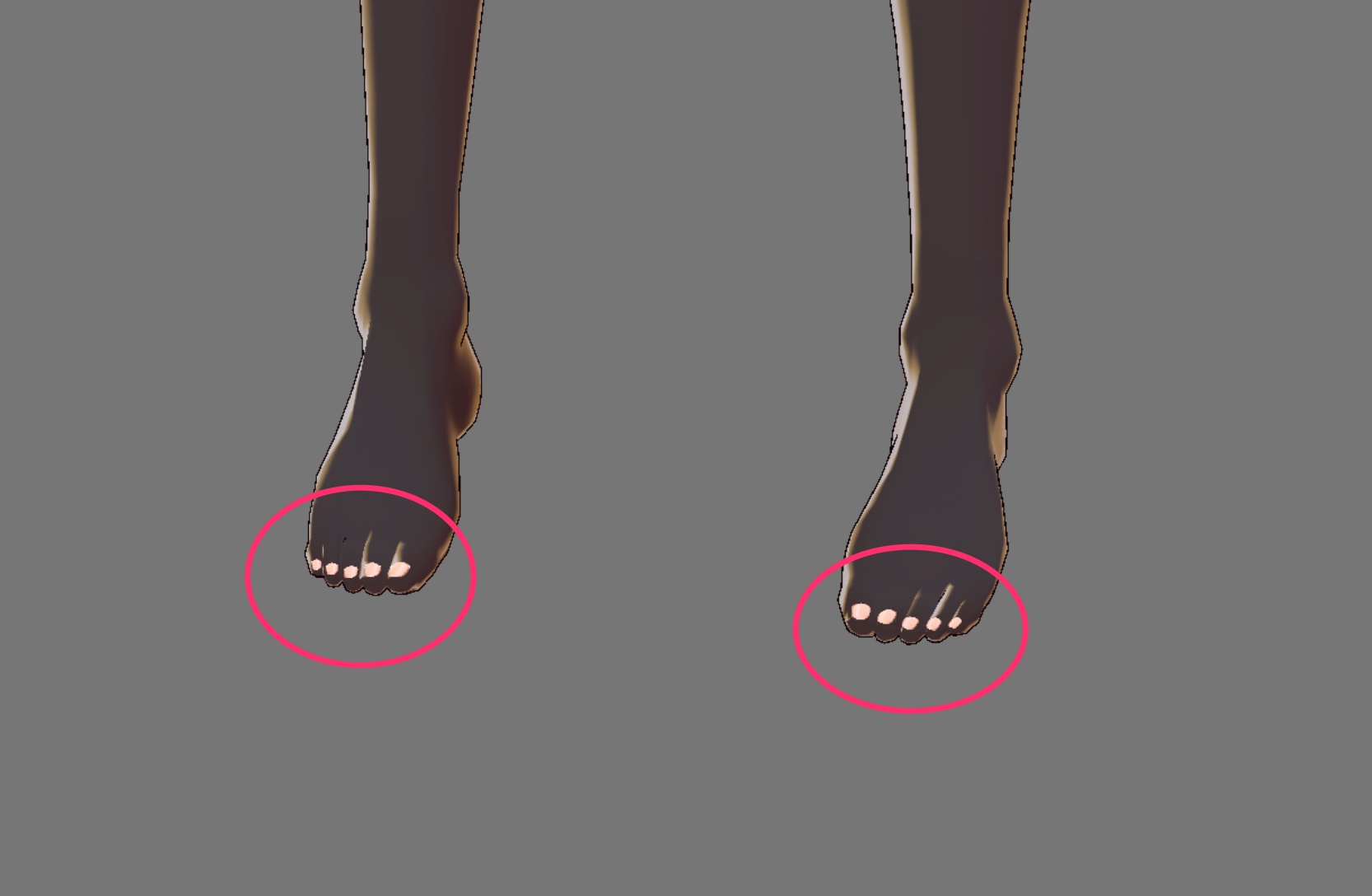
Toenails are created as objects placed on top of the skin layer on the bare feet. The toenails depicted in "▼ Image 1" are always displayed at the top of the image as objects.
▼ Image 1
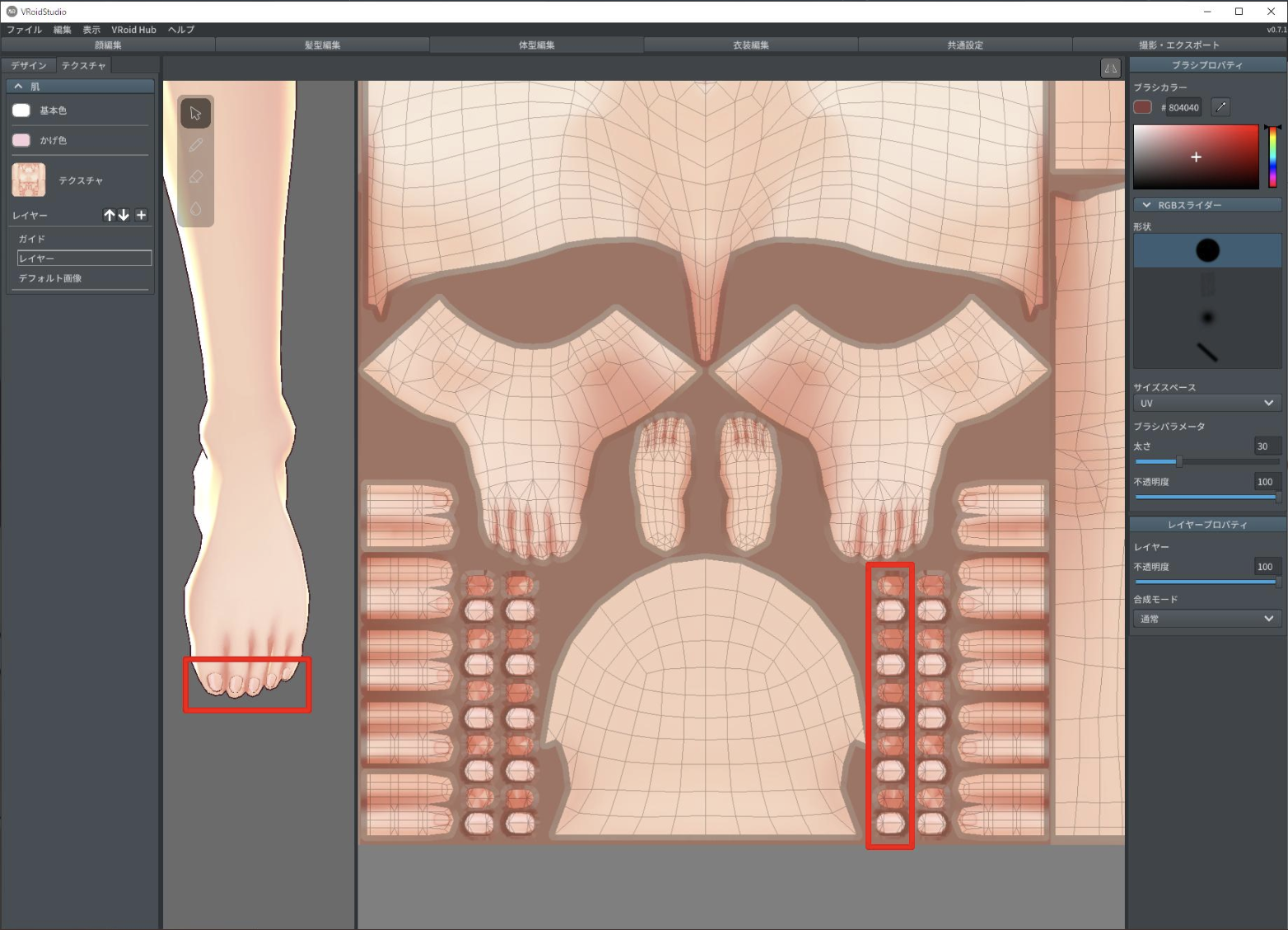
If you want to draw tights, follow the steps below to select "Socks (Angled or Flat)". (See the end of this article for more information on Angled and Flat socks.)
① Select the "Design" tab in "Clothing Editor".
② Select "Shoes" in the "Category" on the left panel.
③ Select "None" in the right panel under "Shoes".
④ Under "Feet" in the right panel, select "Socks (Angled)" or "Socks (Flat)".
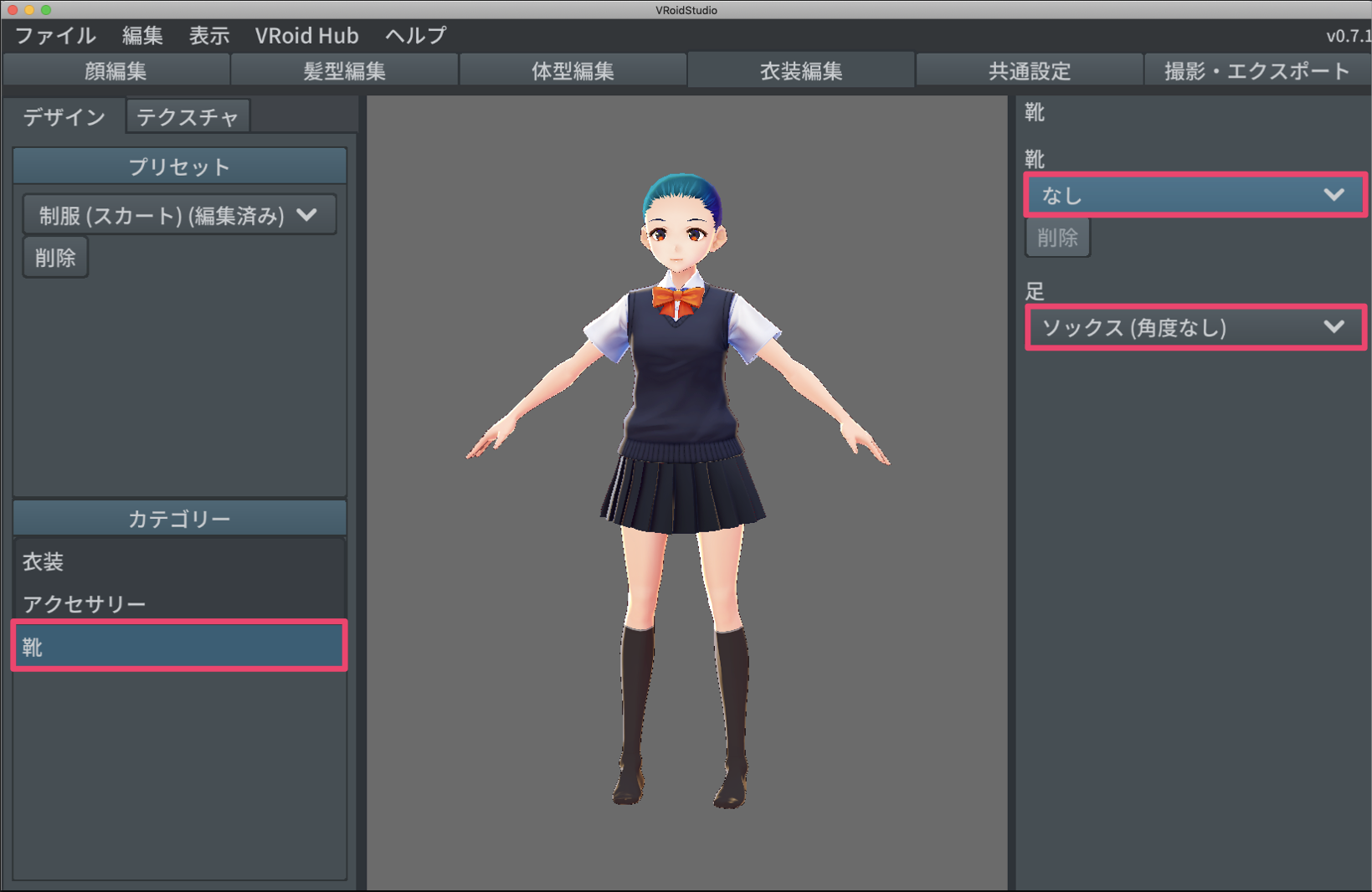

After following steps ① to ④, select the "Texture" tab in "Body Editor" to display a texture for tights and socks that does not show nails. This way, toenails will not appear on top of tights anymore.

▼ About Angled and Flat socks
The Angled model for bare feet and socks is thought for dress boots and pumps. The Flat model is designed for loafers and shoes. Choose the model that best fits your shoes. (These settings refer to v0.7.1. They may change in later versions.)